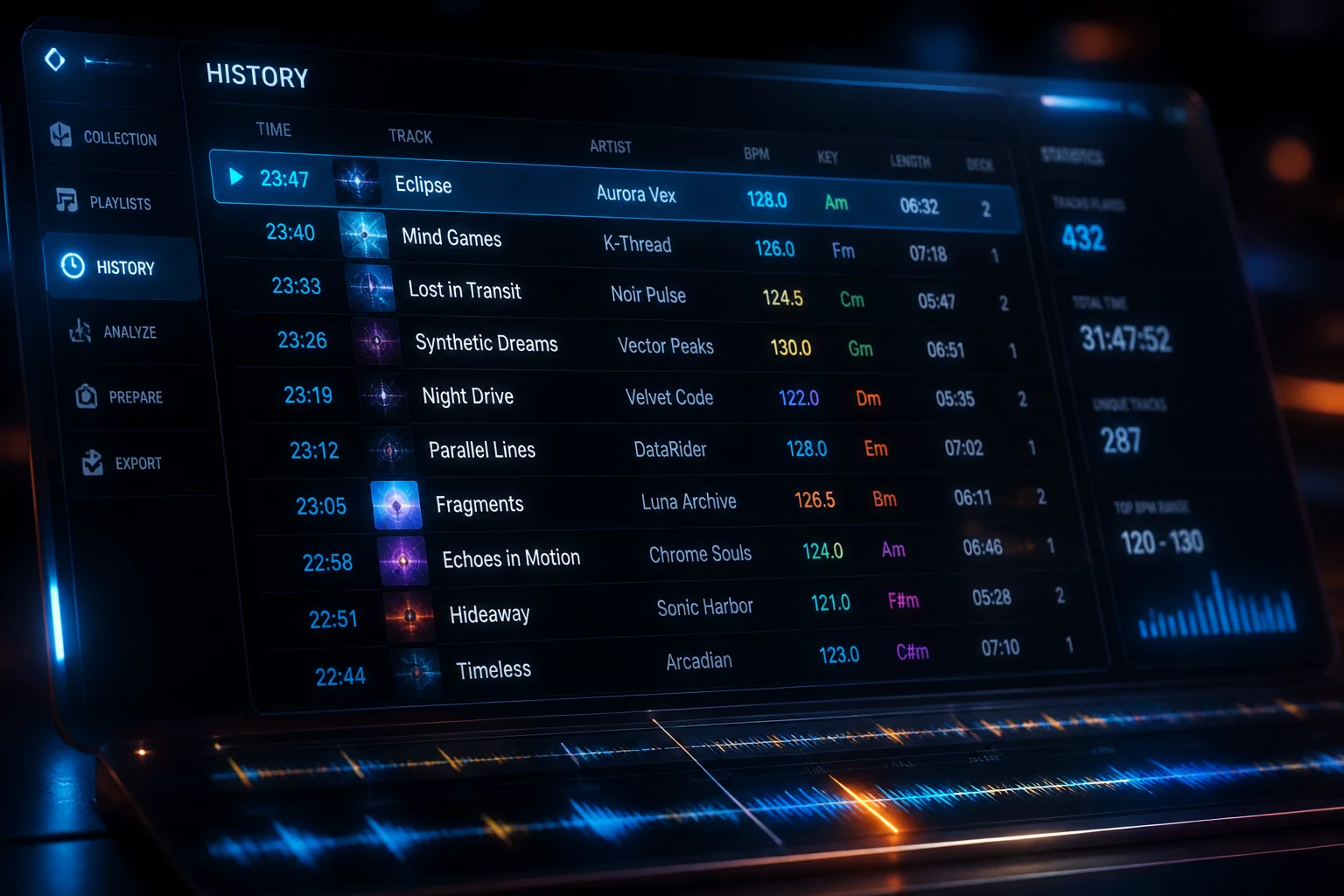
A live performance leaves behind an unfiltered trail of choices inside Serato DJ Pro. While the software records every loaded file, active play duration, and deck routing automatically, keeping that information trapped inside the local history tab limits retrospective learning. Exporting session logs transforms raw, ephemeral playback lines into structured datasets suitable for tracklist archiving, transition auditing, and comparative set analysis.
Converting History Crates into Standard Export Formats
The history panel provides direct export capabilities that package playback sessions into text, m3u, or comma-separated value spreadsheets. Selecting the target date folder within the history browser exposes session rows alongside specific metadata headers. While text files offer an immediate clean tracklist for listeners or promotional posts, exporting directly to CSV preserves vital diagnostic columns including start time, end time, track length, key tag, and playback deck.
- Format selection determines whether runtime markers and deck identities survive the export.
- Unchecking unwanted crates avoids polluting the export file with warm-up soundchecks or background tracks.
- Renaming the exported document immediately with venue, date, and time slot prevents accidental file overwrites.
A session export is not merely a tracklist; it is an objective diagnostic record of pacing, decision latency, and room management.
Filtering Playback Artifacts and Erroneous Triggers
Direct session exports frequently contain false positives from pre-cueing or quick deck adjustments. Serato marks any track auditioned beyond a brief threshold into the history ledger, meaning a song previewed for twenty seconds during cueing can masquerade as a full selection in raw data. Effective session review requires isolating genuine playtimes from discarded cue attempts.
Establishing Minimum Duration Cutoffs for Accurate Reporting
Filtering exported spreadsheet entries by play duration eliminates cue checks and aborted transitions immediately. Setting an analytic threshold between forty-five and sixty seconds cleanses the record of quick deck auditions while preserving intentional transition tracks and short vocal drops. Comparing the cleaned spreadsheet against original set intentions highlights exactly where unplanned transitions altered the room energy.
Practical Guidance on History Export Handling
The CSV format is optimal because it arranges track title, artist, play start time, duration, and deck channel into distinct columns. Spreadsheets allow selectors to calculate average playtime per track, sort by tempo changes, and isolate specific hours of the evening without manual reformatting.
Serato registers tracks based on whether the playback fader engaged or the track spun past the software playback threshold. If a cue button is triggered repeatedly or audio runs in headphones with a line fader cracked, the application logs the track. Applying a play duration filter in your spreadsheet resolves these phantom entries instantly.